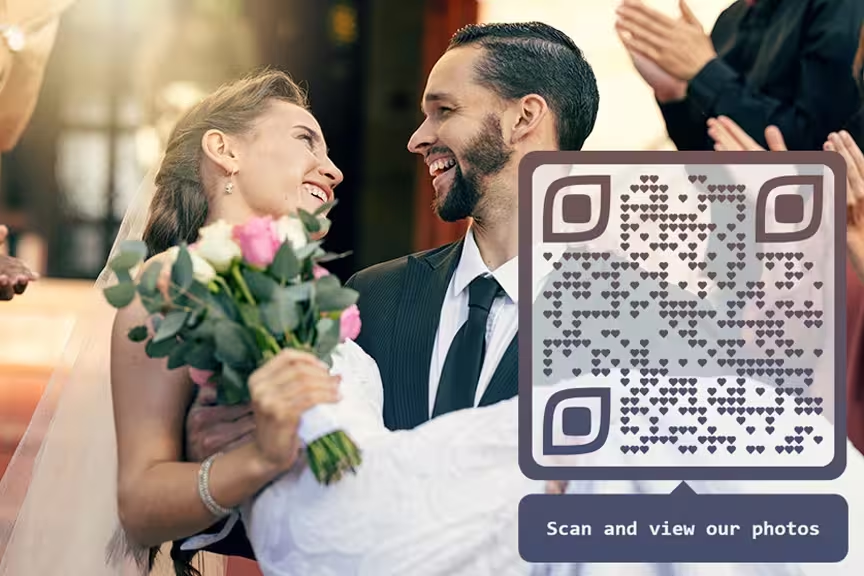
A wedding photo QR code lets your guests upload and share pictures from your day. One scan with a phone, and every photo lands in the same album. 49% of couples already print them on their invitations. It's the simplest way to collect hundreds of guest photos without lifting a finger.
Wedding days fly by. The photographer gets the posed shots and the ceremony, but can't follow 120 guests around all night. Without a QR code, you'll spend weeks texting people for their pictures. Most never reply. A shared album with a scannable code fixes that.
Quick Answer
Upload your photos to Google Photos, Wedibox, or a similar platform. Copy the share link. Paste it into a QR code generator. Print the code. That's it. Guests scan to view and upload.
- Step-by-step guide to creating wedding photo QR codes
- Static vs updatable codes: which works better for weddings
- 7 best platforms for wedding photo sharing in 2026
- Real examples from couples who collected 300+ guest photos
- Privacy and security tips for protecting wedding memories
- Creative placement ideas for maximum guest participation
Ready to Create Your QR Code?
Join thousands of users who trust our platform for their QR Code needs. Start generating professional QR-Codes in seconds!
What Are QR Codes for Wedding Pictures?
A wedding photo QR code connects your event to a digital album. When someone points their phone camera at the code, a webpage opens. They can browse the photos you've already shared and upload their own shots from the reception.
Usage on invitations has grown 42% since 2021, and 49% of couples now include them. The reason? All those guest photos that normally get lost across dozens of phones end up in one place instead.
The global wedding photography market hit $23.36 billion in 2024, with projections of $43.60 billion by 2032. A QR code helps you capture moments your photographer missed, at almost no extra cost.
Step-by-Step Guide: Creating Your Wedding Photo QR Code
The whole setup takes about 10 minutes.
Step 1: Choose Your Photo Platform
Pick where you want the photos stored. Google Photos gives you 15 GB free. iCloud gives 5 GB. Dropbox, Wedibox, GuestCam, and Never Miss Moments are popular options too, each with different strengths.
Step 2: Set Up Your Wedding Album
Create an album with a name people won't confuse. Something like 'Sarah & Mike's Wedding, October 2026' works. Turn on sharing so guests can both view and upload.
Step 3: Copy Your Share Link
Every platform generates a unique link for your album. Copy the full URL. It'll look something like 'https://photos.google.com/share/ABC123...' and so on.
Step 4: Generate Your QR Code
Head to a QR code generator like QR-Kode.no, QR Tiger, or QRCode Monkey. Select 'URL' and paste the album link. Go with an updatable code if you can. That way, you can swap the destination link later without reprinting.
Step 5: Customize Your Design
Add your wedding colors. Drop in your engagement photo as a center logo. Pick frames that match the theme. Just keep strong contrast between pattern and background, or it won't scan.
Step 6: Test and Download
Before the big day, try scanning with at least three different phones. Download the file in PNG or SVG at high resolution. Low-res codes look blurry on print and fail to scan.
Static vs Updatable QR Codes: Which Is Better for Weddings?
| Feature | Static QR Codes | Updatable QR Codes |
|---|---|---|
| Cost | Free | $5-25/month |
| Can be changed | No | Yes |
| Track scans | No | Yes |
| Password protection | No | Yes |
| Best for | Simple viewing only | Guest uploads, privacy, analytics |
For weddings, updatable codes win. You can swap the album link if you switch platforms. You get password protection and scan tracking. One couple used an updatable code at their October 2024 wedding and ended up with over 300 guest photos. That's the power of making it easy for people to share.
7 Best Platforms for Wedding Photo QR Codes
1. Wedibox
Best Overall for Weddings
Wedibox was built from the ground up for wedding photo collection. Over 50,000 couples have used it so far. It accepts photos, videos, and voice messages, and it runs live slideshows during your reception that update as guests upload.
Pros: Wedding-specific features, voice messages, live slideshows
Cons: Subscription required, newer platform
2. GuestCam
Best for Extended Storage
GuestCam keeps your photos for 14 months, which gives you plenty of time to download everything. It includes digital audio guestbooks and handles multiple events if you're throwing a wedding weekend with separate gatherings.
Pros: 14-month storage, audio guestbooks, multiple event support
Cons: Paid service, learning curve for advanced features
3. Google Photos
Best Free Option
Google Photos is free, familiar to nearly everyone, and offers 15 GB of storage. Photo quality stays high. The trade-off: no wedding-specific features, and some people are uncomfortable with Google's privacy model.
Pros: Free, familiar interface, high-quality uploads
Cons: No wedding-specific features, limited privacy controls
4. Never Miss Moments
Best Budget Option
Never Miss Moments keeps prices low. Setup takes minutes. Couples call it the quickest way to gather all photos in one place. You can download everything as a ZIP file.
Pros: Low prices, simple setup, ZIP download
Cons: Limited advanced features
5. iCloud Photos
Best for Apple Users
If most of your guest list carries iPhones, iCloud Photos works well. You get 5 GB free. Shared albums pair nicely with QR codes. But Android users will have a rougher time with it.
Pros: Strong Apple integration, high quality, easy sharing
Cons: Limited free storage, less useful for Android guests
6. Dropbox
Best for File Organization
Dropbox runs on every device. Set up shared folders, point a QR code at them, and files sync across phones and computers automatically. The free tier only gives you 2 GB, though.
Pros: Cross-platform, good organization, reliable
Cons: 2 GB free storage, not wedding-specific
7. WedUploader
Best for Google Drive Integration
WedUploader accepts unlimited uploads at original quality without compression. Everything flows into your Google Drive. You keep ownership of all content.
Pros: Original quality, Google Drive integration, privacy control
Cons: Requires Google account, subscription for full features
Why Wedding QR Codes Have Become Standard
The old way meant texting guests for weeks, scrolling through Instagram hashtags, and still missing half the pictures. QR codes skip all of that. One scan, one album, done.
More memories. Your photographer can't be at every table. But your cousin at table nine caught a candid of your grandmother laughing, and your college friend got the surprise dance floor proposal on video. Those moments make it into the album only if uploading is effortless.
Less chasing. No more 'Hey can you send me that photo?' messages three weeks later. Everything arrives automatically.
All ages welcome. Teenagers, parents, grandparents. Anyone who can point a phone camera at a square can participate. There's nothing to download or sign up for.
Real-time excitement. When photos pop up on a live slideshow during the reception, more people want to contribute. It feeds on itself.
6 Creative Ways to Use Wedding Photo QR Codes
1. Table Centerpieces
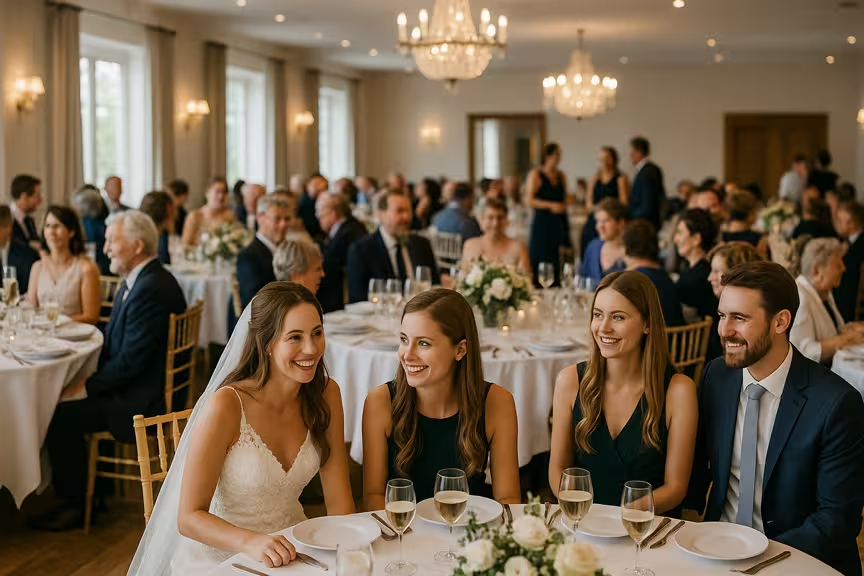
Print small cards for each table. Something like 'Capture a memory? Share it here!' works well. People scan between courses when they're relaxed and already holding their phones.
2. Wedding Invitations
Put the code directly on the invitation or save-the-date. This way, guests know the system before the wedding day. Link it to your wedding website or engagement photos to get early engagement.
3. Welcome Signs
A sign at the venue entrance with your QR code and a line like 'Help us capture the day from your view' sets the tone from the start.
4. Live Photo Walls
Several platforms offer live slideshows. Photos appear on screen the moment someone uploads them. Hook up a projector at the reception and watch people compete to get their shot on the big screen.
5. Digital Guestbooks
Skip the paper guestbook. A QR code lets people upload photos and leave voice messages in one step. GuestCam bundles a digital audio guestbook into its plans at no extra charge.
6. Thank You Cards
Add the code to your thank-you cards after the wedding. Guests who forgot to upload can still add their photos. Others can browse the album and find pictures they're in.
Real Wedding Success Stories
One bride wrote: 'Purchased QR code for my wedding, 10/26/24. We ended up with over 300 pictures. Worth the money.'
Another couple said: 'I heard about GuestCam on Reddit. It was the right app for our three-day destination wedding by the sea. We love the feature where people share their selfie and get emails of all the photos they're in.'
And a family member: 'My family did this for my nephew's wedding last year. We couldn't attend through illness, but we still saw everything.' QR codes don't just collect photos. They include people who can't be there.
How to Set Up Different QR Code Types
Simple Viewing QR Code
This one's just for viewing. It lets guests browse photos you've already uploaded. Any free QR generator works. Link to your Google Photos or iCloud album. Good for sharing engagement photos or professional shots.
Guest Upload QR Code
This lets guests add their own pictures. You'll need a platform that accepts uploads from outside users: Google Photos shared albums, Dropbox shared folders, or one of the wedding-specific platforms.
Interactive Experience QR Code
The full package. Photo uploads, voice messages, live slideshows, comments, likes. Wedibox and GuestCam both specialize in this kind of setup.
Where to Display Your Wedding QR Codes
Placement matters more than you'd think. A beautiful code hidden behind the dessert table won't get scanned.
Reception tables are the best spot. Small cards at each place setting give guests time to scan between courses. Nobody's rushing.
The cocktail hour area works well too, especially near the bar or appetizer stations where people stand around waiting.
If you have a photo booth, put a QR code right next to it. People there are already in picture-taking mode.
Bathroom mirrors sound odd, but people check their phones there constantly. A small sticker gets noticed.
The gift table draws traffic all night. Another high-visibility spot worth using.
Privacy and Security
Wedding photos are personal. You don't want them floating around the open internet.
Set a password that only wedding guests know. With the right privacy settings, you keep ownership of everything uploaded.
Permissions matter. Decide who can view, who can upload, and who can download. Start tight. You can always loosen it later.
Stick with known platforms: Google Photos, iCloud, or recognized wedding services. Don't trust random photo-sharing sites with your wedding memories.
With updatable codes, you can review what gets uploaded and remove anything out of place before other guests see it.
And back everything up. Download your photos regularly. Store copies in at least two places. Platforms let you grab everything as one compressed folder.
Making Your QR Code Guest-Friendly
Not everyone's comfortable with tech. Some of your guests haven't scanned a QR code before.
Add clear instructions. 'Point your phone camera here' is all most people need. Don't assume they know what a QR code does.
Print the web address underneath as a backup. Some older phones struggle with scanning, and some guests just prefer typing.
Size matters. At least 1 inch square for tables. Bigger for signs. Reception halls can be dim, and small codes fail in low light.
Test with different phone models beforehand. A code that works on an iPhone 16 but not on a 2019 Samsung isn't useful.
Ask a tech-savvy friend to float around and help anyone who's struggling. One person can handle the whole room.
Professional vs Guest Photos: Get Both
Professional photographers deliver final images in 4 to 6 weeks. Your QR code starts collecting guest photos on the day itself.
Share the code early. Rehearsal dinners, getting-ready time, the morning of. GuestCam lets you create separate galleries for each part of the wedding weekend.
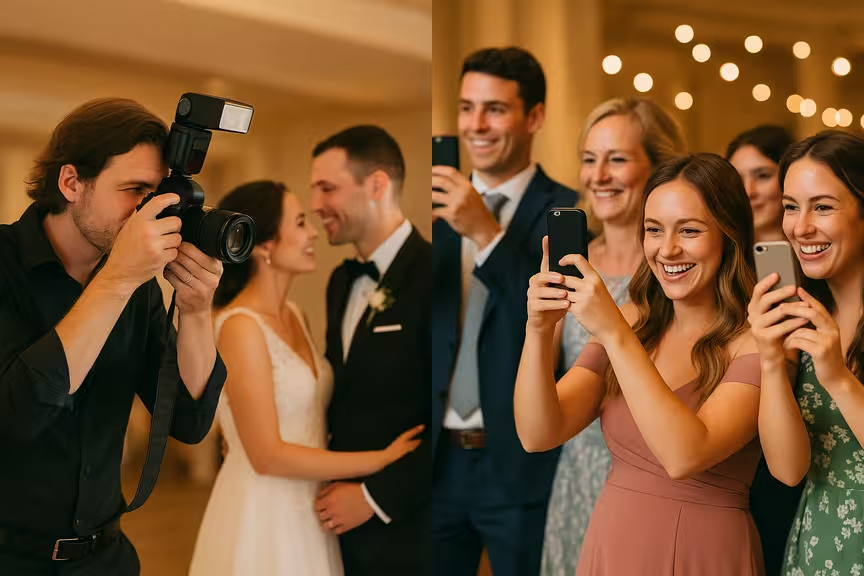
Your photographer takes the posed shots. Your guests capture the candid stuff: the hug behind the venue, the kids dancing, your dad tearing up during the toasts. Different angles, different value.
Most wedding platforms keep photos active for 14 months, so guests can still upload pictures they find on their phones weeks later. Once the professional images arrive, add them to the same album. One complete record of the day.
Common Problems and Fixes
Code won't scan in dim lighting. Use black on white, nothing fancy. Test under similar conditions before the wedding. A small LED spotlight near the display helps.
People don't know how to upload. Print a simple card with screenshots showing what the page looks like after scanning. Three pictures, three arrows. Done.
Duplicates everywhere. That's fine. Platforms sort by timestamp, so cleanup takes minutes.
Guests worry about privacy. Tell them the album is password-protected. Only people at the wedding can see it.
Running out of storage. Check your limits a week before the wedding. Upgrade if needed, or pick a wedding service with unlimited storage from the start.
Advanced Tips
Use separate codes for ceremony, reception, and after-party. Keeps everything organized and tells you which part of the day generated the most photos.
Turn on scan tracking if your platform supports it. You'll see which placement spots performed best.
Tie the codes into your wedding website. Link directly to specific galleries instead of a generic landing page.
Some platforms offer smart redirects that detect iPhone vs Android and send each guest to the best upload method for their phone.
A few services let you schedule upload reminders so guests get a nudge to share their photos a day or two after the event.
Wedding QR Code Design Tips
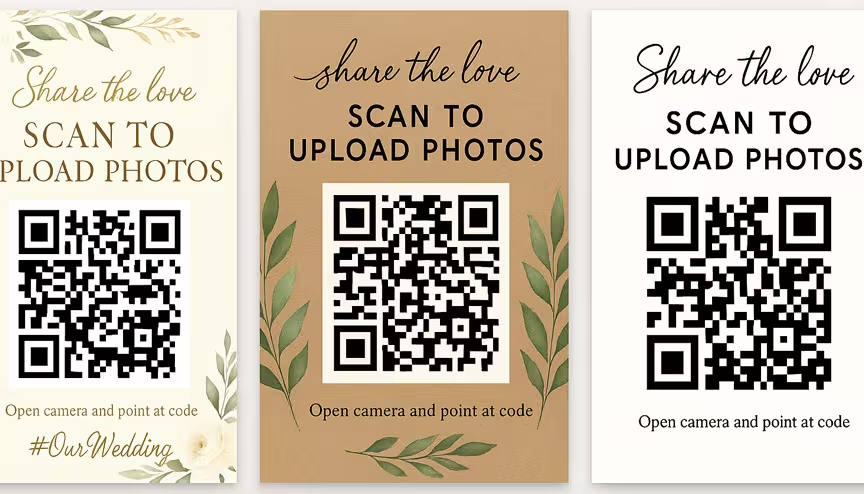
The code should match the rest of your wedding stationery. A black square on white paper works, but it doesn't have to be boring.
Use your wedding colors, but don't sacrifice contrast. A pastel code on a cream background looks elegant and scans terribly.
Many generators let you put a small image in the center. Your engagement photo works well there. It makes the code feel personal and guests recognize what it's for.
Write something next to the code. 'Share Your Photos' or 'Help Us Remember' tells people what to expect. A bare QR code with no context gets ignored.
Print on a solid, light background. Textured paper, busy patterns, and dark surfaces all interfere with scanning.
For tables, 1 inch square is the minimum. For a welcome sign people scan from 3 feet away, go bigger.
Traditional vs Digital Photo Sharing
| Method | Time to Collect | Photo Quality | Guest Effort | Cost |
|---|---|---|---|---|
| Texting Photos | Weeks or months | Compressed | High | Free |
| Weeks | Medium | High | Free | |
| Social Media Hashtags | Ongoing | Compressed | Medium | Free |
| QR Code Albums | Instant | Original quality | Low | $0-25/month |
Pricing Guide
Wedding photo QR codes range from free to about $50 per month.
Free (Google Photos, iCloud, QRCode Monkey): Good for view-only codes or basic uploads. Storage is limited and there are no advanced features, but it costs nothing.
Budget, $5-15/month (Never Miss Moments and basic wedding service plans): Enough for small weddings under 50 guests. Simple setup, gets the job done.
Premium, $20-50/month (Wedibox Pro, GuestCam, advanced QR Tiger plans): Live slideshows, voice messages, unlimited storage. Everything you'd want for a large wedding.
DIY: Pair Google Photos with QRCode Monkey. Costs nothing. Works well for most couples.
Troubleshooting
Code won't scan. Check contrast first. Black on white works best. Make sure it's at least 1 inch. Glossy paper and reflective surfaces cause problems too.
Wrong link opens. Double-check the URL starts with 'https://' and loads in a browser. Test before generating the code.
Slow uploads. Usually a WiFi problem at the venue. Ask the venue about upgrading internet for the day, or let guests know uploads take a minute on slow connections.
No one can find the upload button. Make a simple instruction card with screenshots. Three images showing exactly where to tap.
Privacy worries. Review your platform's sharing settings. Only people with the direct link should have access. Not the public.
What's Coming Next
Wedding photo sharing keeps evolving. Here are the trends worth watching:
AI photo grouping. Platforms are starting to sort photos by person, location, and time automatically. You won't need to organize 400 photos by hand.
Augmented reality. Some codes now trigger AR features like virtual photo frames or 3D invitations when scanned.
Photographer partnerships. More photographers work directly with QR code platforms to deliver professional shots and guest photos in one unified album.
Video and voice. QR codes increasingly collect video messages and voice notes from guests, not just still photos.
Alternatives to QR Codes
QR codes are popular, but they're not the only path:
Wedding hashtags. Pick something unique like #SarahAndMikeForever2026 and ask guests to use it on social media. It's free, but you'll collect photos manually and quality drops from compression.
Shared Google Drive. Send the link by email or text. It works, but it asks more of your guests and the link gets buried in message threads.
Wedding apps. Custom apps with built-in photo sharing. Pricier, but you control everything.
Disposable cameras. The retro option is making a comeback. You get a vintage look, but you'll need to develop and scan the film afterward.
Frequently Asked Questions
How many photos can guests upload?
Most platforms accept unlimited uploads. WedUploader takes unlimited photos at original quality without compression. If you're using Google Photos or iCloud, watch the storage caps (15 GB and 5 GB free, respectively).
Do guests need to download an app?
No. Today's platforms work entirely through the browser. Scan, tap, upload. That's the whole process.
How long do wedding QR codes stay active?
Static codes work forever. Updatable codes depend on your subscription. Most wedding platforms store photos for 14 months, which is plenty of time.
Can I see who uploaded which photos?
Yes. On most platforms, guests type their name before uploading. Handy for writing thank-you notes.
What if someone uploads something inappropriate?
You can review and approve uploads before they go live in the shared album. Some platforms have automatic filters. Or ask a trusted friend to keep an eye on things during the reception.
Do QR codes work for destination weddings?
Anywhere with internet. They're especially helpful abroad, where guests can't easily text or AirDrop photos to each other.
Bottom Line
QR codes turn scattered guest photos into one organized album. 49% of couples already use them. Those who do report collecting 300+ pictures they'd never have gotten otherwise.
If you're watching costs, start with Google Photos and QRCode Monkey. For live slideshows and voice messages, Wedibox or GuestCam are worth the monthly fee. Test before the wedding. Print codes and place them where people naturally spend time: tables, bars, welcome signs.
Your photographer handles the planned moments. Your guests handle the rest. One QR code ties it all together.

Thomas Alling
Thomas is a digital marketing expert and CEO of Mementor with over 25 years of experience in web design, programming, and digital marketing. He specializes in helping businesses implement QR code strategies that bridge physical and digital experiences across multiple industries.
View all posts by Thomas Alling